Event Participants
Add the people involved in your event and organize their roles or entrance order when needed.
Keep your event team, tasks, program, music, vendors, and important details organized in one private workspace. Customize your workspace and use only the features your event needs.
Registration is free. $9.99 includes 12 months of full editing access for one event workspace.
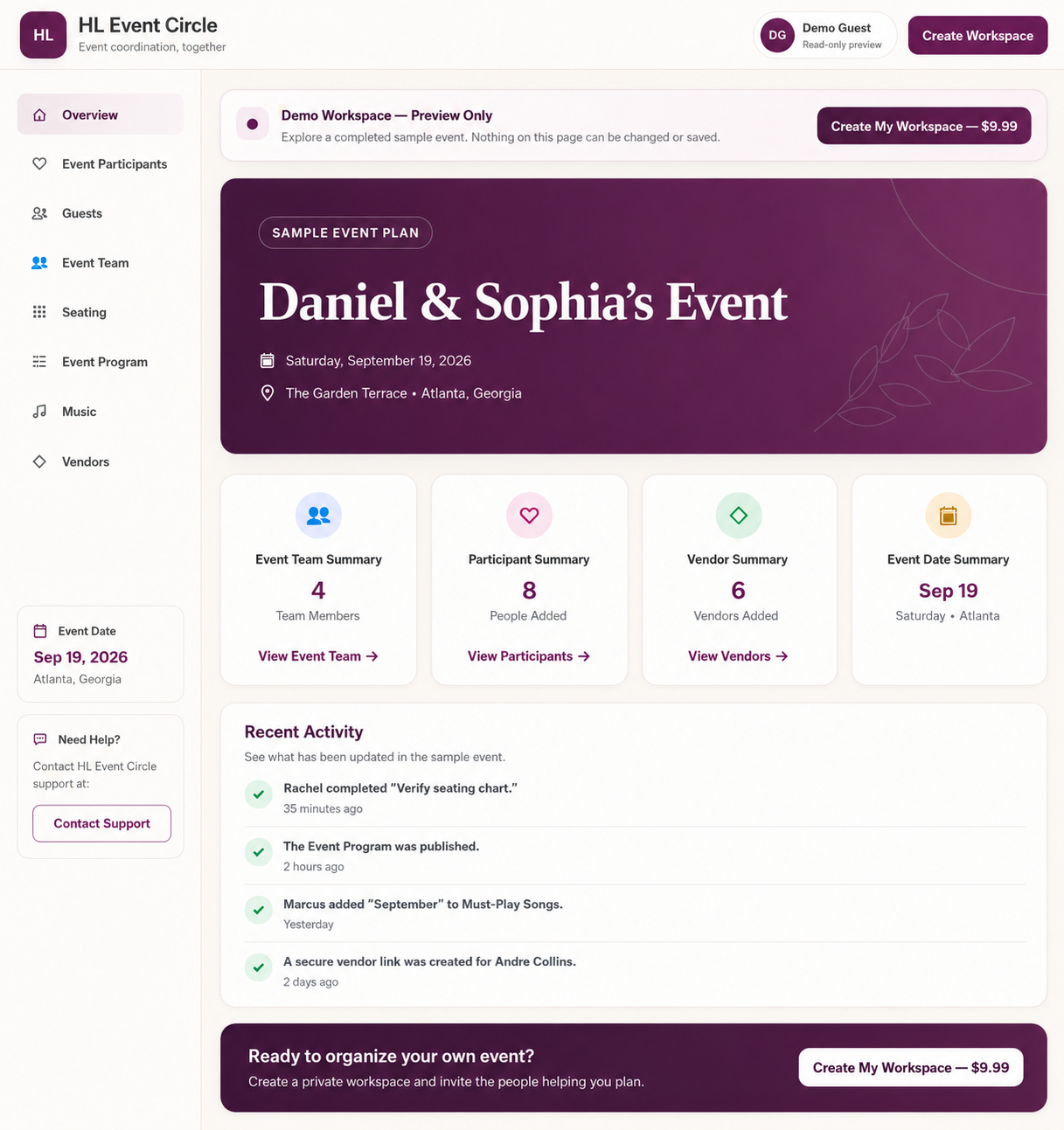
Use only the sections your event needs. See what is ready, what needs attention, and who is helping.
Add the people involved in your event and organize their roles or entrance order when needed.
Add trusted helpers and give each person access only to the information or tasks they need.
Assign tasks, add optional due dates, and track what is pending or complete.
Build the order of activities so everyone knows what happens next.
Keep songs, special moments, and notes for the DJ or music team together.
Save vendor names, services, and contact information in one place.
No complicated setup and no monthly subscription.
Register with your email and password. Creating an account does not cost anything.
Pay $9.99 for 12 months of full editing access to one private event workspace.
Add event details, invite trusted helpers, assign tasks, and stay organized.
The demo uses a wedding as an example, but every workspace can be customized to fit your event. Click through the workspace to see how the team, tasks, program, music, and vendors stay organized.
Register for free, then purchase when you are ready to organize your event.
12 months of full editing access
Create your event on our website, then manage your existing events with the HL Event Circle app on iPhone or Android. You can also continue using HL Event Circle on the web from your phone, tablet, laptop, or desktop.
HL Event Circle can be used for a wedding or another event. Use only the sections your event needs.
Yes. Registration is free. You pay $9.99 only when you create an event workspace.
Yes! The HL Event Circle app is available on the Apple App Store and Google Play Store. After creating your event on our website, you can sign in with the same account and manage your existing events from the app. You can also continue using HL Event Circle on the web from your phone, tablet, laptop, or desktop.
Your $9.99 purchase includes 12 months of full editing access beginning when your workspace is created.
Your workspace changes to view-only mode. Your information remains available, and you can still manage access to existing links. Event details and content can no longer be added, edited, or removed.
No. After 12 months, the workspace becomes view-only and cannot be reactivated. To continue planning, you must purchase and create a new event workspace.
No. There is no monthly subscription or recurring charge. A new workspace is purchased only when you choose to create another event workspace.
No. The event name is locked after the workspace is created. You may update the event date and location during the 12-month access period, but a different event requires a new workspace purchase.
No. Invited team members use a secure invitation link to access only the event information and tasks shared with them.
Yes. Open the live demo to explore a fictional sample event workspace. The demo is read-only.
Create your free account and give your team one clear place to stay organized.